import { ImageGallery } from '@caddocs/ui'
Updates for Jan2026
This update includes long awaited features and functions, that enhance user experience and productivity.
General Updates
-
Open .xsd files directly
Right click on any of your iCAD data files, choose
Open Withand select iCAD. This will open the contents of the file in iCAD interface.
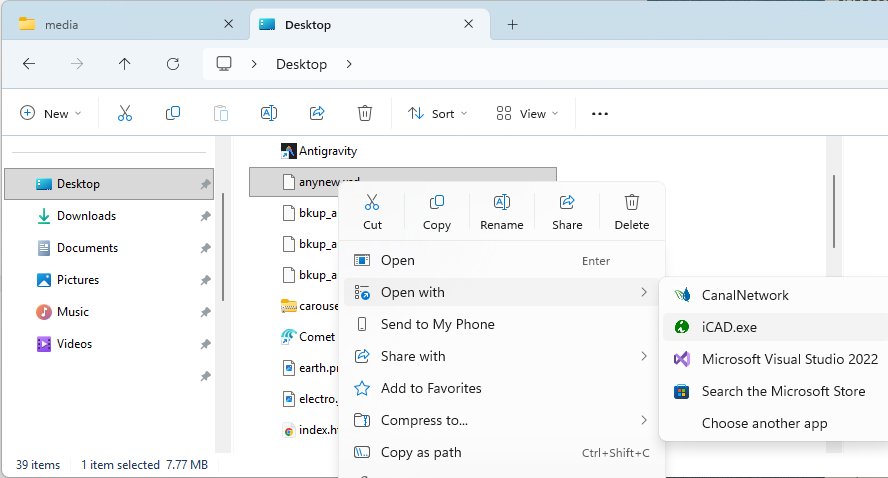
This will open iCAD and the Workspace Manager dialog, listing all sessions saved on the data file of interst.
Note: Use
Open Onceoption, to avoid linking .xsd files to CanalNet only. Remember both iCAD and CanalNet follow the same data format. Hence, the file extension for both is .xsd. -
Enhanced Editor Component
The variable editor interface is overhauled for multiple functionalities. These include:
- Dynamic variable edits, reflected on graphic area
- Automatic reloading of entities on iCAD main interface, and controlling visibility
- Improved user guidance for invalid inputs.
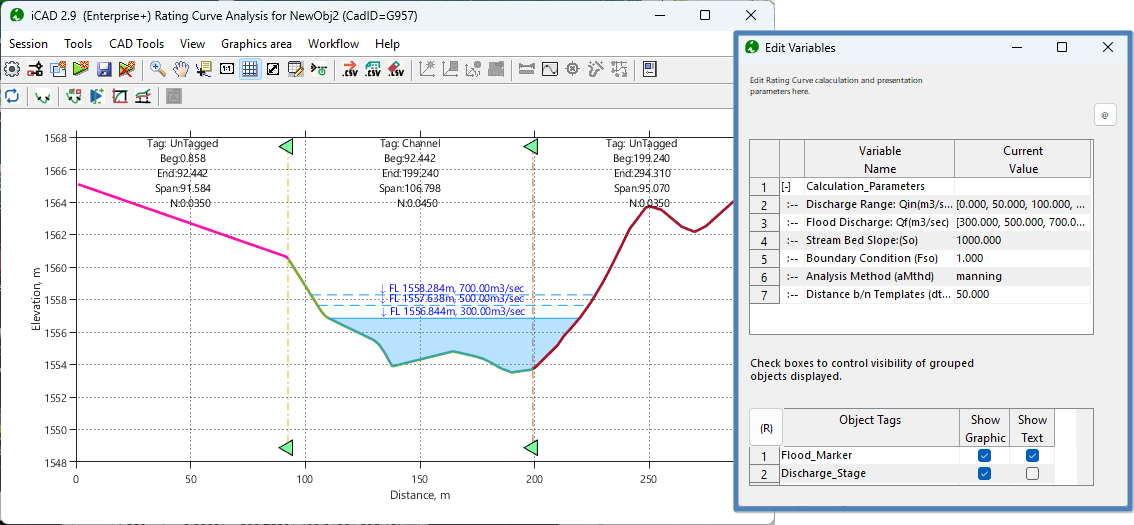
The interface is now persistent, meaning it will not close (unless requested by the user.) Changing variables will be instatneously visible on the graphics area.
-
Introduction of no-cad mode.
In this version, we have introduced the capability to operate on data files with out the need to open AutoCAD. Users can create and use their own non-cad objects in their workspace, and use as if they are CAD objects.
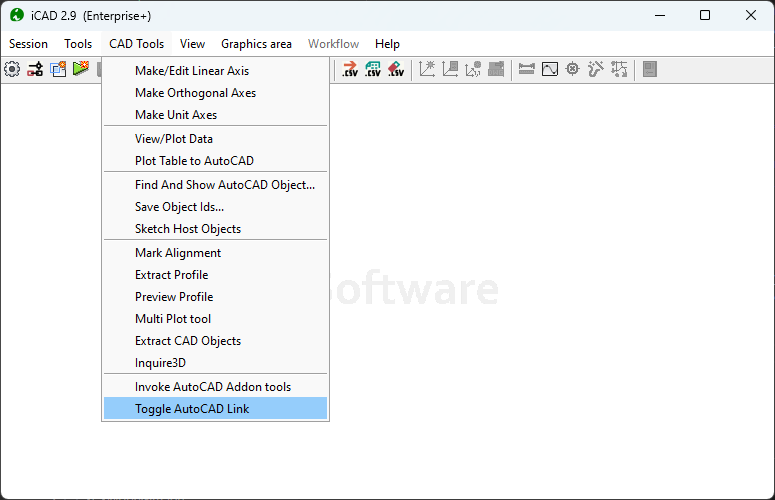
Note: Object import, extraction, and export to and from AutoCAD is not possible while in this mode.
Teraform Module
This module has undergone major functionality reviews - mainly focusing on ease of use, and productivity for engineers. The following are key:
-
Enhanced Assembly Editor view
The editor can be resized to desired dimensions, also allowing full screen view and easier navigation of assemblies.
-
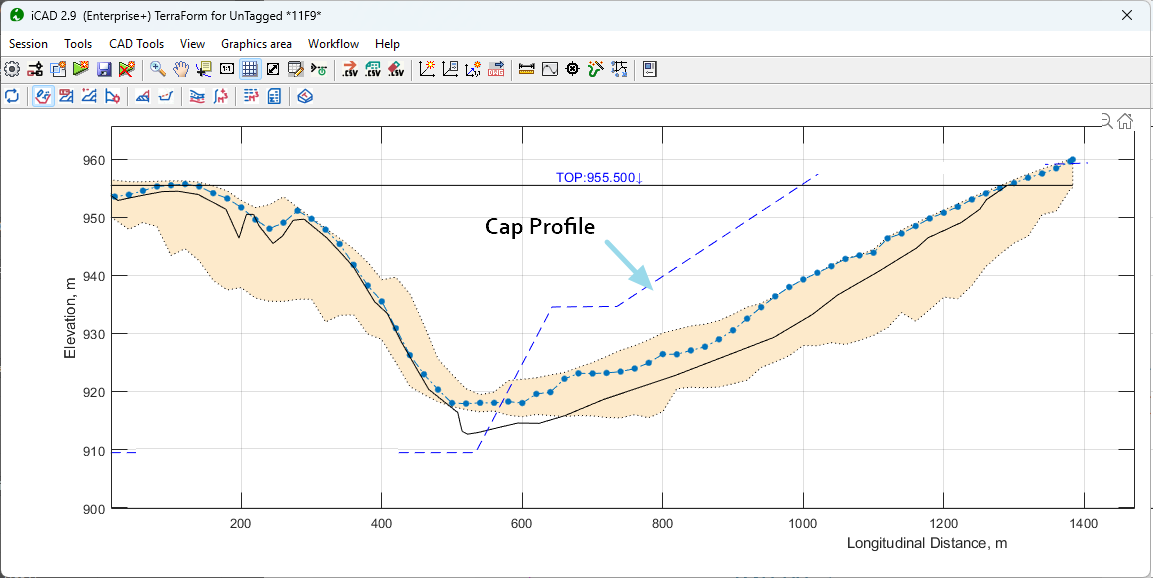
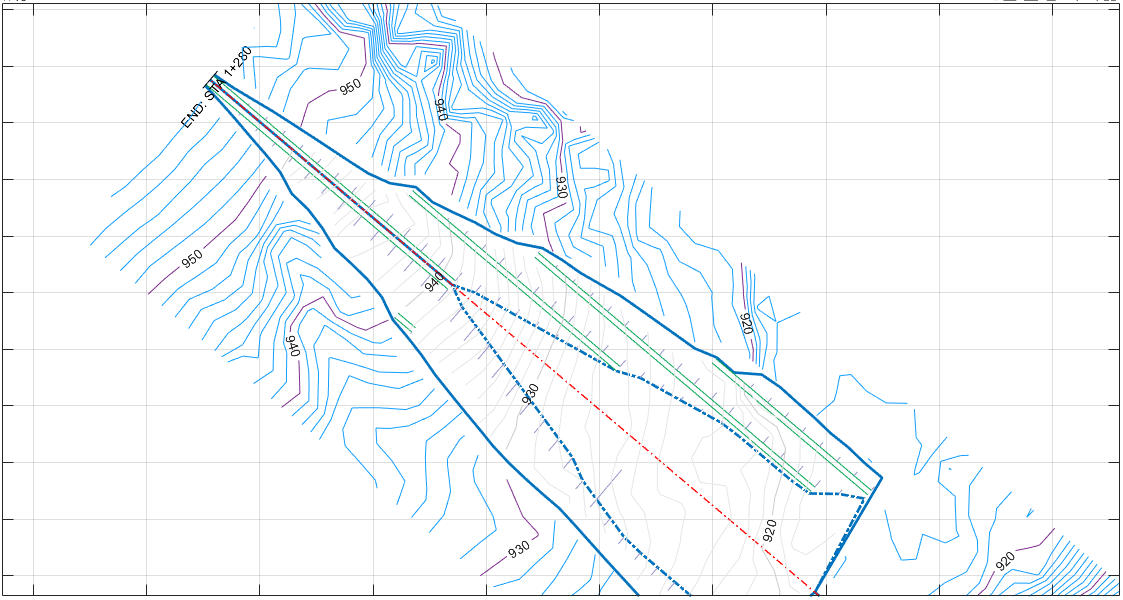
Enhanced plan view for cap data.
Plan view is now capable of accounting for cap profiles, and accurately representing the finished fill levels on plan view.
Contour Cloud Modules
-
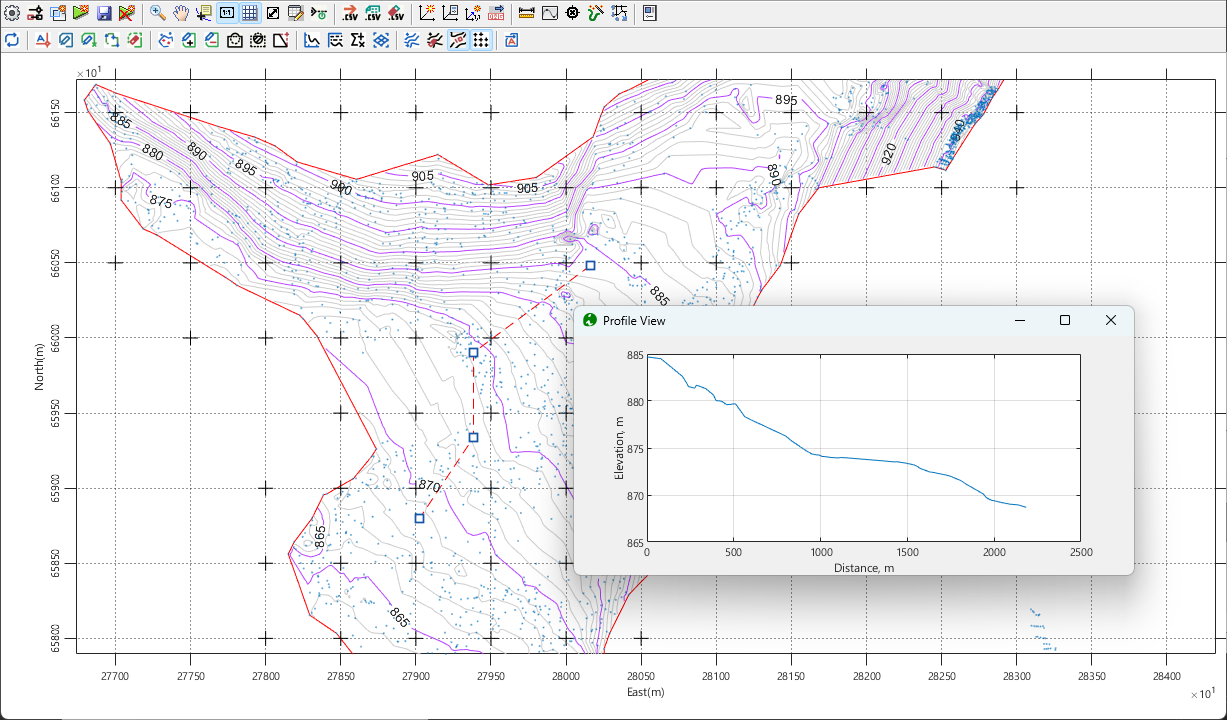
The topography data processing and visualization module is enhanced to allow for multiple functions including:
- boundary creation and editing
- boundary intersections and unions
- Multi-region contour processing
- grid view
- and much more.
-
Alignments can be created with in the interface, or imported from AutoCAD. Then users can visualize profile data, export the profile data.
END.